


Calheb for Android 1.6 and higher
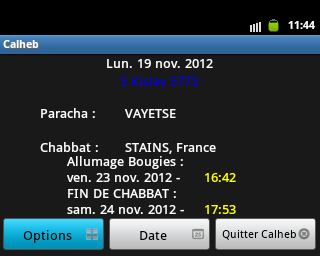

File: Calheb 2.5
URL : Calheb_2.5.apk
Current version : 2.5
Size : 14,8 Mo (15 618 048 Octets)
Setup :
For now CalHeb is not on the Android Market or Goggle Play.
To install it, you must first allow applications not originating from the Market for this, should go into
Menu > setting > Applications then check "unknown Sources".
or settings > Security > check unknown sources.
The easiest way is to enter the address in the Android browser and the application will download automatically.
Once the download is completed, select the download notification (Menu > Notification), Android will then offer you to install the application.
Another solution is to download the file CalHeb.apk and save it on the hard disk of the computer.
Connect the mobile Android on your PC and copy the CalHeb.apk file to the SD card from the mobile and finally
Run the file through a program manager, for example AppInstaller ; or a file manager for example « ES File Explorer » or « Astro File Manager » for example Filemanager of WooBoo.
All of these managers are freely available on the Market.
Launch CalHeb. The application should work.
For more details watch the Guide to complete the application Calheb on Android.